Hardware vs Software Wallets (2026): Which Should You Use?
When people say 'crypto wallet' they could mean two quite different things: a software wallet that lives as an app on your phone or browser, or a hardware wallet — a small physical device that keeps your keys offline. Both are legitimate, and most people end up using both. This guide compares them so you can match the right tool to the right job.
The short version
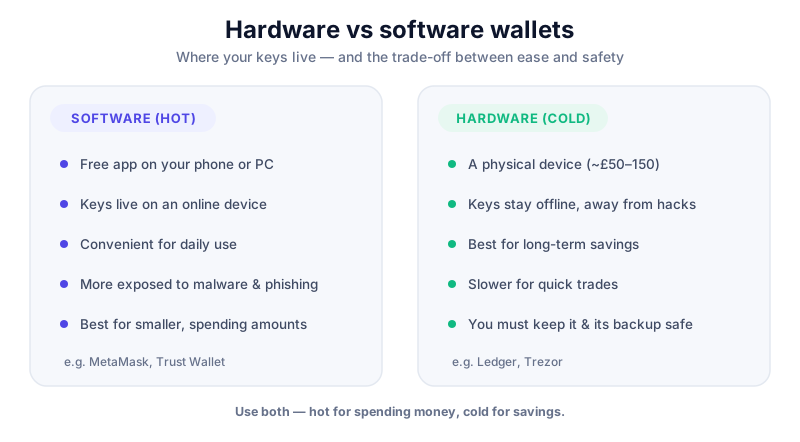
A software (hot) wallet is convenient and free, ideal for small, everyday amounts. A hardware (cold) wallet keeps your keys offline on a physical device — the gold standard for anything you'd be upset to lose. The rule of thumb: spending money in software, savings in hardware.
Hardware vs software at a glance
| Feature | Software wallet | Hardware wallet |
|---|---|---|
| Form | App (phone/browser) | Physical device |
| Keys stored | On your device, online | Offline on a secure chip |
| Cost | Free | Typically £50–£200 |
| Convenience | High — instant access | Lower — plug in to sign |
| Security | Good with care | Strongest available |
| Best for | Small, active funds | Long-term savings |
| Online exposure | Connected (hot) | Isolated (cold) |
| Examples | MetaMask, Trust Wallet, Phantom | Ledger, Trezor, Coldcard |
Crucially, both rely on the same backup: a seed phrase. Lose it and you can't recover your funds; share it and someone else can take them. The wallet type changes how exposed your keys are day to day, not how you back them up.
The case for software wallets
Software wallets are free, instant to set up, and let you tap into apps, DeFi and payments straight from your phone or browser. For small balances you use regularly, they're the practical choice.
- Strengths: free, fast, flexible, great for everyday spending and Web3 apps.
- Trade-offs: keys live on an internet-connected device, so malware, phishing and a lost or hacked phone are real risks.
The case for hardware wallets
A hardware wallet keeps your private keys on a dedicated offline device. Transactions are signed inside the device, so your keys never touch your computer or the internet — even if your PC is infected. For meaningful savings, this is the standard.
- Strengths: keys stay offline, immune to most malware, can still connect to apps via a wallet like MetaMask for safe signing.
- Trade-offs: costs money, slightly less convenient, and you must buy from the manufacturer to avoid tampering.
The Ledger Nano X keeps your keys on a secure chip and supports thousands of coins. Read our full review before buying — and only ever buy direct from the manufacturer.
How to choose (you can have both)
Buy hardware wallets only from the maker
Never buy a hardware wallet second-hand or from a marketplace — it may be tampered with. Set it up yourself, let the device generate a fresh seed phrase, write it on paper, and never share it or type it into any computer or website. Crypto is volatile: only risk what you can afford to lose. This is education, not financial advice.
Most people land on a simple split: a software wallet for small, active funds and a hardware wallet for savings. If you're choosing between specific devices, see our Ledger vs Coldcard comparison and hot vs cold wallets guide.
Key takeaways
- Software wallets are free and convenient — best for small, everyday amounts.
- Hardware wallets keep keys offline — the gold standard for long-term savings.
- Both depend on the same seed-phrase backup, which you must never share.
- A common setup: software for spending, hardware for saving.
Frequently asked questions
Do I really need a hardware wallet?
Not for small amounts — a reputable software wallet is fine. But for anything you'd be genuinely upset to lose, the offline protection of a hardware wallet is well worth the cost.
Can I use a hardware and software wallet together?
Yes, and many people do. You can connect a hardware wallet to a software wallet like MetaMask, so you get the app's convenience while the signing keys stay safely offline on the device.
Is a software wallet safe at all?
It can be, with good habits: keep your device updated, avoid phishing links, never share your seed phrase, and only hold amounts you'd be comfortable losing. For larger sums, move to cold storage.
Keep reading
Hot vs Cold Wallets: What's the Difference?
A plain-English hot vs cold wallets comparison — how each works, the security trade-offs, and how to combine b
Ledger vs Coldcard (2026): Which Hardware Wallet Fits You?
Ledger vs Coldcard compared: multi-coin versus Bitcoin-only, open source, air-gapped security, ease of use and
MetaMask vs Rabby (2026): Which Web3 Wallet Wins?
A balanced MetaMask vs Rabby comparison: security features, multi-chain support, transaction previews and ease