Keystone 3 Pro Review (2026)

Our verdict: 4.4 / 5
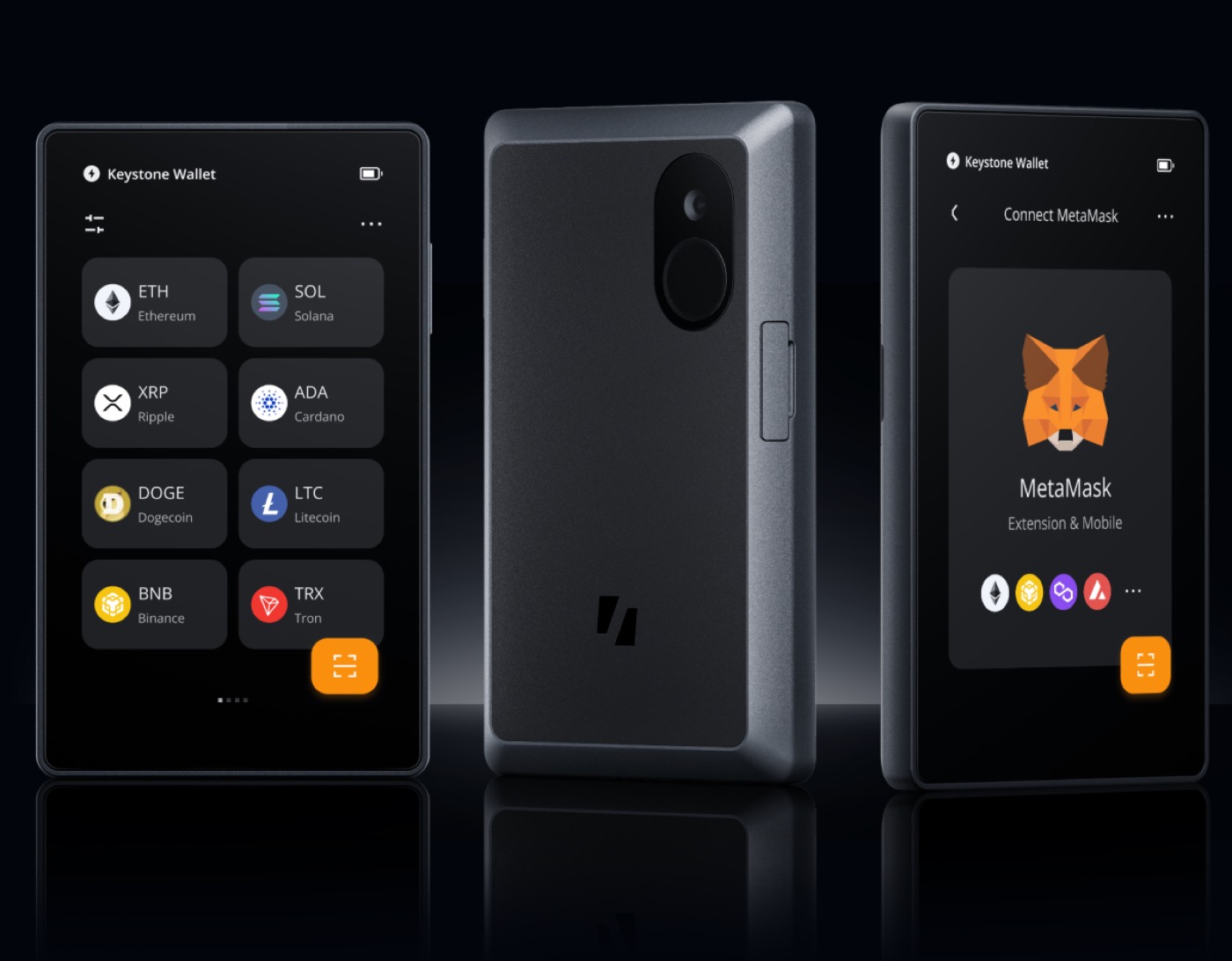
The Keystone 3 Pro is the air-gapped wallet for people who hate fiddly buttons. It never plugs into your computer — every transaction is signed by scanning QR codes — and the big touchscreen makes that genuinely pleasant. Three secure-element chips, open-source firmware and broad coin support round it out. The trade-offs are honest ones: you'll juggle QR scans, the companion app leans on your phone, and the battery is one more thing to keep charged.
How it scores
👍 Pros
- Fully air-gapped — signs by QR code, never connects via USB or Bluetooth
- Large 4-inch colour touchscreen makes addresses easy to verify
- Three secure-element chips plus an open-source firmware stack
- Broad multi-coin support including Bitcoin, Ethereum and many tokens
- Open-source firmware you can inspect and verify yourself
👎 Cons
- QR-scanning every transaction is more steps than a quick USB tap
- Relies on the companion phone app, which adds a moving part to keep updated
- Built-in battery is one more thing to charge and eventually replace
How it compares
| Feature | Keystone 3 Pro | Ledger Nano X | Trezor Safe 5 |
|---|---|---|---|
| Our score | 4.4 | 4.8 | 4.7 |
| Connection | Air-gapped (QR) | USB + Bluetooth | USB-C |
| Touchscreen | Yes (4-inch) | No | Yes |
| Open source | Yes | Partial | Yes |
| Coins supported | Broad multi-coin | 5,000+ | 1,000+ |
| Best for | Air-gap fans | Most people | Open-source fans |
How we tested
Our plan with any wallet is the same: we buy it ourselves, set it up from scratch as a first-timer would, and only then push it harder. With the Keystone 3 Pro we'd generate a fresh seed on the device, sign Bitcoin and Ethereum transactions entirely by QR code with the phone in aeroplane mode to confirm the air-gap really holds, then wipe the device and restore from the seed phrase to prove recovery works. We'd check the open-source firmware signatures, try a passphrase wallet, and live with it for a few weeks of everyday sends. Our scores always weight security most heavily, then day-to-day usability and value. Manufacturers don't get to see or influence our verdicts. If the Keystone 3 Pro is right for you, buy it direct from Keystone rather than a marketplace or second-hand — the only way to be sure it hasn't been tampered with.
FAQ
What does 'air-gapped' actually mean here?
The Keystone never connects to your computer or phone by cable, Bluetooth or Wi-Fi. To send crypto, your phone app builds an unsigned transaction as a QR code, the Keystone scans it, you approve it on the device, and it shows a signed QR back. That removes a whole class of online attacks — nothing malicious can reach the device over a wire.
Is the Keystone 3 Pro good for beginners?
It's friendlier than most air-gapped wallets thanks to the big touchscreen, but the QR back-and-forth is a few more steps than tapping a USB device. If you want the simplest possible start, a Ledger Nano X or Trezor Safe 5 is gentler. If air-gapping appeals, the Keystone is one of the easiest ways to get it.
Keystone or Ledger?
Choose the Keystone for a fully air-gapped, open-source device with a large screen. Choose Ledger for a smaller pocket form factor, Bluetooth and the widest coin support. Both keep your keys off the internet — it comes down to which workflow you'll actually stick with.