The Best Password Managers for Crypto Users (2026)
For most people, the biggest crypto risk isn't a clever smart-contract exploit — it's a reused password or a phishing login on an exchange, or on the email account sitting behind it. A password manager fixes that cheaply. But it is an *account-security* tool, not a wallet, and there is one rule you must never break: don't put your seed phrase in it. Here's how to use one properly, and how NordPass, 1Password and Proton Pass compare.
The 20-second version
A password manager gives every account a long, unique password and quietly blocks phishing sites by refusing to autofill on the wrong domain. Use it for your exchange logins, your email and your hardware-wallet PIN — never your seed phrase, which belongs on cold storage. Whichever you pick, pair it with 2FA and choose a master password that is long, unique and never reused.
Why a password manager is crypto security
Ask most people to picture a crypto loss and they imagine a hacked contract or a rug pull. In reality, a huge share of stolen crypto starts at the login layer: someone reuses the same password across ten sites, one of those sites gets breached, and attackers simply try that password on their exchange account and email. That's not exotic — it's Tuesday.
A password manager closes that door. It generates a long, random, unique password for every account, remembers them all, and fills them in for you. You only have to remember one strong master password. This is the same login hygiene we cover in crypto opsec basics and how to avoid crypto scams — the unglamorous habits that actually keep funds safe.
The line that matters
A password manager protects your accounts and logins — your exchange, your email, your admin panels. It does not protect your wallet or your funds directly. The wallet layer (your seed phrase and private keys) is a separate thing that lives on cold storage. Don't blur the two.
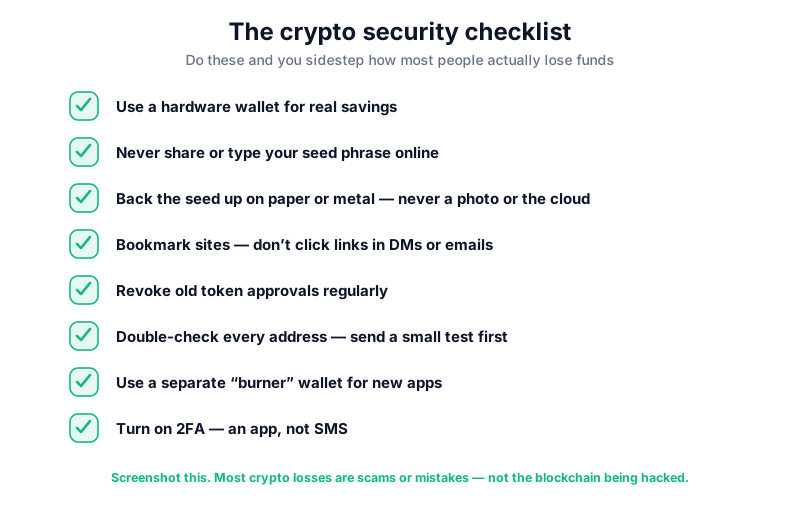
The one rule that could have saved millions: never store your seed phrase
In 2022, LastPass was breached. Attackers walked off with backups of around 30 million encrypted vaults. The vaults themselves were encrypted, so on paper the data was useless — but here's the catch. Some users had stored their seed phrases and private keys inside those vaults, and some had protected them with weak master passwords. Attackers took the stolen backups offline and cracked the weak ones patiently, over *years*.
The result was slow, quiet theft. Blockchain-analytics firm TRM Labs traced at least around $35 million in crypto stolen this way through 2025 — a figure that was still climbing, with fresh waves detected as late as September 2025. The exact total is hard to pin down and will keep rising, so treat it as "tens of millions and counting" rather than a fixed number.
House rule: a password manager must NEVER hold your seed phrase
Your seed phrase and private keys belong offline — on a hardware wallet and a metal backup — never in any cloud vault, encrypted or not. Even Trezor's co-founder has publicly advised against keeping seed phrases in a password manager. This is the single most important line in this article.
So what *should* live in your password manager? Your exchange usernames and passwords, your email login (the account most exchange resets flow through), and your hardware-wallet PIN. All of those are account-layer secrets. Your seed phrase is a different category entirely — see hot vs cold wallets for where it actually belongs, and wallet drainer scams for what happens when the two layers get confused.
How autofill quietly protects you from phishing
This feature gets overlooked, and it's one of the best reasons to use a password manager at all. When you save a login, the manager ties it to the exact domain. When you land on a page and it offers to fill your password, it has already checked that the domain matches.
Now picture a phishing site: paypa1.com instead of paypal.com, or a lookalike of your exchange login served up in a dodgy email. Your eyes might miss the swapped character. Your password manager won't — it simply refuses to autofill, because the domain doesn't match what it has on record.
Treat a refusal to autofill as a warning
If your manager normally fills a login and one day silently won't, stop. That's often the first sign you're on a lookalike domain. Type the address yourself from a bookmark rather than a link, and check it carefully. It's the same instinct behind spotting fake community hype — the small mismatch is the tell.
NordPass, 1Password and Proton Pass compared
All three managers below clear the essential bar: zero-knowledge (end-to-end) encryption, meaning the provider itself cannot read your vault. That is the minimum you should require — not a feature that sets one apart. It was zero-knowledge encryption that kept the LastPass vaults encrypted in the first place; the failures there were weak master passwords plus storing seed phrases at all. So don't shop on encryption alone — shop on price, features and how much you trust the maker.
A quick word on the table below: all prices are volatile and change with promotions, terms and region, so treat these as rough guides and check the current figure before paying. "Best for" labels are our editorial view, not objective fact.
| Manager | Best for | Encryption | Notable feature | From (approx.) |
|---|---|---|---|---|
| NordPass | Value; most beginners | XChaCha20, zero-knowledge | Breach scanner, email masking (Premium) | ~£1.30-£1.60/mo (2-yr) |
| 1Password | Best overall (reviewers) | AES + Secret Key, zero-knowledge | Travel Mode, Watchtower | ~£4/mo individual |
| Proton Pass | Privacy; strong free plan | Zero-knowledge, open source | Swiss-based, hide-my-email aliases | ~£2.50/mo (or free) |
NordPass is the value pick, and our lead for most crypto beginners on a budget. It uses XChaCha20 encryption (a stream cipher that runs faster than AES on low-power devices), has been independently audited by the security firm Cure53, and supports passkeys. The Premium tier adds a data-breach scanner and email masking, for roughly a couple of pounds a month on a longer term — check the current price, as it moves with promotions. Be honest about the trade-off, though: at the time of writing the free plan only lets you stay logged in on one device at a time (a limit that has changed before, so verify it).
1Password is the one most reviewers rate best overall, and it's the premium-priced option rather than the cheapest. Its standout features suit crypto and travel users: Travel Mode physically removes any vaults you haven't marked "safe for travel" from your devices, which is genuinely useful at a border; Watchtower flags breached, weak and reused passwords; and it pairs your master password with a separate Secret Key. It undergoes regular independent security audits and holds a SOC 2 report. As of the time of writing its individual plan sits at around £4 a month, with Families a little more depending on term — but prices move, so budget accordingly and check the current numbers. Detail lives in our 1Password review.
Proton Pass is the privacy and open-source pick. It's open source, built by Swiss-based Proton AG in Geneva — outside the EU and the Five Eyes intelligence alliance — and it has been independently security-audited. Its free plan is unusually generous, with unlimited logins, multi-device sync and a set of hide-my-email aliases; paid tiers sit mid-range and, at the time of writing, undercut 1Password (check the current pricing before you decide). We cover the wider Proton suite in our Proton review.
Most crypto is lost to a hacked login, not the market. NordPass gives every account a long, unique password and blocks phishing sites by refusing to autofill on the wrong domain — for roughly a couple of pounds a month (check the current price). Just never store a seed phrase in any app, and pair it with 2FA.
How to set it up for your crypto accounts
Getting started takes about twenty minutes and pays for itself the first time it stops you signing into a fake exchange. The order matters — do the email account first, because it's the master key to everything else.
- Choose a manager and create a master password that is long, unique and never reused anywhere else — this is your single point of failure, so make it a passphrase of several unrelated words.
- Change your email password first, to a fresh random one generated by the manager. Your email is how most exchange password resets happen, so it's the highest-value account you own.
- Work through your exchanges and any crypto services, giving each a new unique password stored in the manager.
- Turn on 2FA for every account — an authenticator app or a hardware security key, not SMS. Walk through it in how to set up 2FA.
- Store your hardware-wallet PIN in the manager if you like — but stop there. Your seed phrase stays offline on cold storage, full stop.
- Save the login page for each exchange as a bookmark, and always reach it via the bookmark so autofill can confirm the domain.
Password and 2FA are two layers, not one
A password manager and 2FA protect against different attacks — a leaked password versus a stolen session or SIM. Using one is not a reason to skip the other. Set up both, and never treat any tool as "hack-proof" or 100% safe.
For the wider picture — where your seed phrase lives, how exchange logins get compromised, and the scams that target them — see hardware vs software wallets and, again, crypto opsec basics.
FAQ
Quick answers to the questions people ask most about password managers and crypto.
Key takeaways
- The biggest everyday crypto risk is a reused password or a phishing login — a password manager fixes both cheaply.
- Never store your seed phrase or private keys in a password manager; they belong offline on cold storage. The LastPass breach is why.
- Autofill is a quiet anti-phishing feature — a manager refuses to fill on a lookalike domain, and that refusal is a warning.
- All three picks clear the essential bar of zero-knowledge encryption; NordPass is our value pick, 1Password the premium choice, Proton Pass the open-source one.
- A password manager protects accounts, not your wallet — always pair it with 2FA and a long, unique master password.
Frequently asked questions
Can I store my seed phrase in a password manager if it's encrypted?
No. The LastPass breach showed why: attackers stole encrypted vault backups and cracked the weakly protected ones offline over years, draining any crypto whose seed phrase was inside. Encryption buys time, not immunity. Your seed phrase belongs on cold storage — a hardware wallet and a metal backup — never in any cloud vault.
Is a free password manager safe enough for crypto?
For the login layer, yes — Proton Pass's free plan is genuinely strong, and any zero-knowledge manager with a solid master password protects your accounts well. Paid tiers add extras like breach monitoring and email masking. Whichever you use, free or paid, pair it with 2FA.
Do I still need 2FA if I use a password manager?
Yes, absolutely. They defend against different attacks — a password manager stops leaked or reused passwords, while 2FA stops someone who already has your password. They're separate layers, so use both. See how to set up 2FA for the walkthrough.
What if my password manager gets breached like LastPass?
You're still protected if you did three things: relied on zero-knowledge encryption, chose a long unique master password, and never stored your seed phrase. The people who lost crypto in the LastPass breach broke that last rule. Do all three and a leaked vault stays useless to attackers.
Keep reading
How to Set Up 2FA for Crypto (Step by Step)
Set up two-factor authentication on your crypto accounts the right way: why app-based 2FA beats SMS, how to en
Crypto OpSec Basics: Stay Private and Safe
Operational security for everyday crypto users: how to reduce your attack surface, protect your privacy, and a
How to Avoid Crypto Scams: The Cornerstone Safety Guide
The common crypto scams — fake support, phishing, giveaways, romance and rug pulls — and the simple habits tha